Project tasks
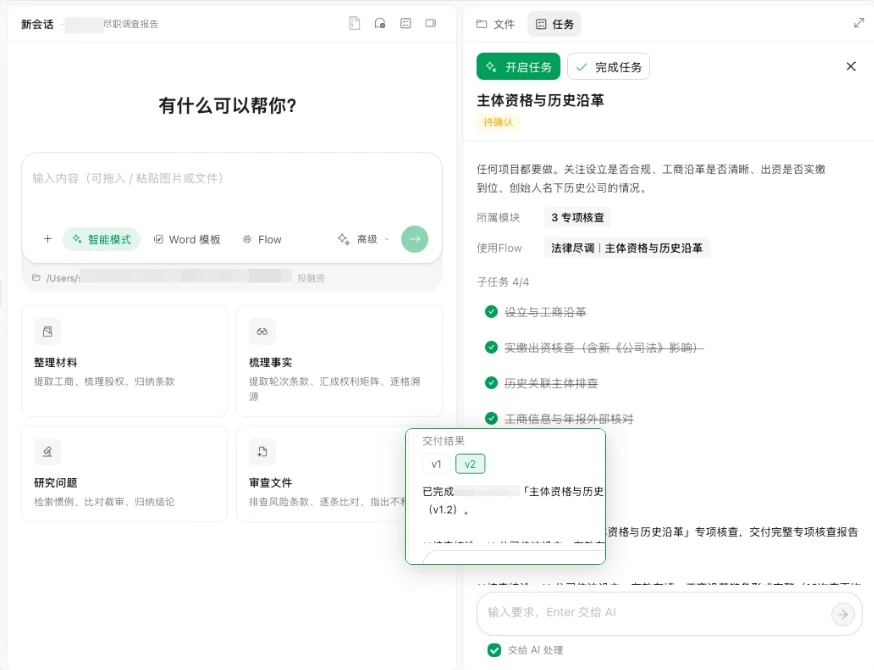
Run due diligence topic by topic on the task board, review subtasks and multiple versions of the output, and complete them once confirmed.
Open the task board
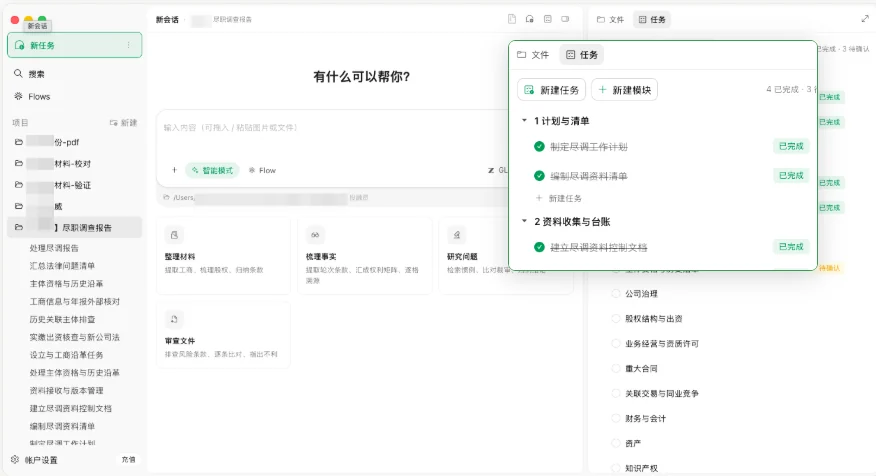
The task board brings all the work in a due diligence project into one place. In a project, open the Tasks panel on the right to view and follow up on work grouped by topic.
- Tasks are grouped by due diligence stage: planning and request lists, document collection and logs, and specialist checks.
- Each task shows its status: completed or awaiting confirmation.
- Find the topic you need in the groups, then open the specific task.
Work through a topic
Due diligence isn't one blanket output produced in one go. It breaks down into specific topics and subtasks that you move forward one by one to fit the project.
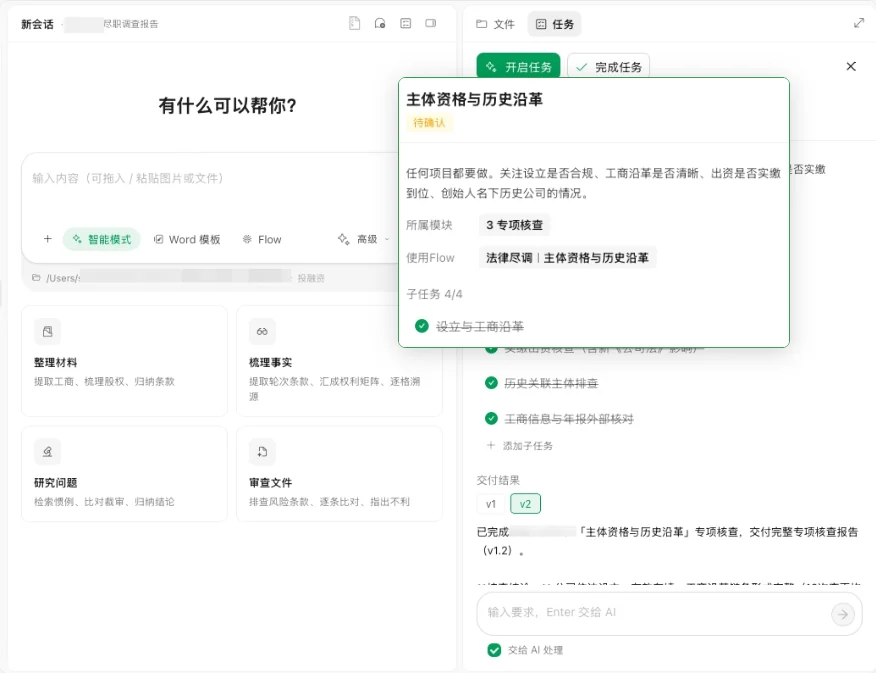
- For example, Corporate Status and History can be split into incorporation and registry history, paid-in capital, historical related entities, and external checks of registry information and annual reports.
- Each topic task runs on the matching legal due diligence Flow.
- View subtasks in the task details, and add or adjust tasks to suit the project.
Output and versions
Task results aren't fixed once generated. Review and adjust them in the task details, keep different versions, and complete the task once confirmed.
- Keep editing a task's output to fit the project and save it as v1, v2 and so on.
- Click a version number to switch to that deliverable.
- Once everything checks out, click Complete Task. Results that need a lawyer's sign-off stay Awaiting Confirmation.