Verify Facts
Start a check from a project file: Andoo breaks out the facts, checks them one by one, and takes you back to the source text to confirm.
Start from a file
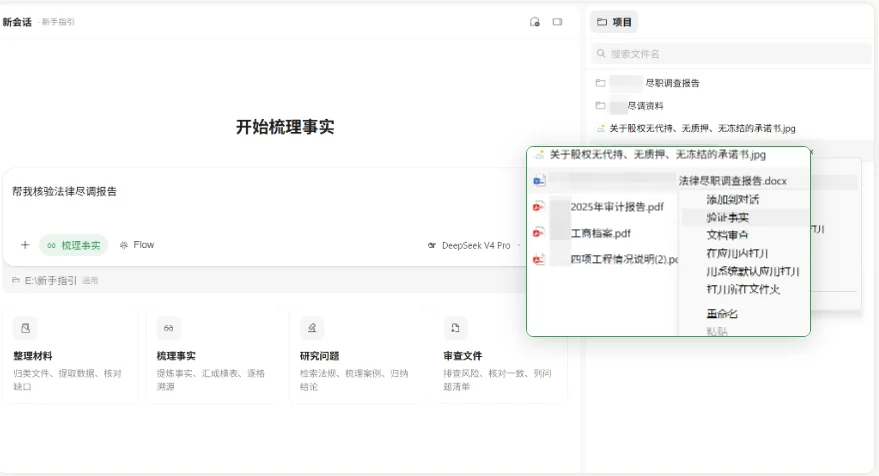
Fact verification starts from a project file. There's no need to restate the question or copy content out of the document: find the file to check, then start verification from its menu.
- Find the file you want to check in the file list on the right of the project.
- Select it, open the action menu and click Verify Facts.
- Andoo breaks out the facts that need checking from the file's content and produces the results.
Verification doesn't answer a blanket "is there anything wrong with this file". It separates out each factual assertion and checks them one by one.
Review results fact by fact
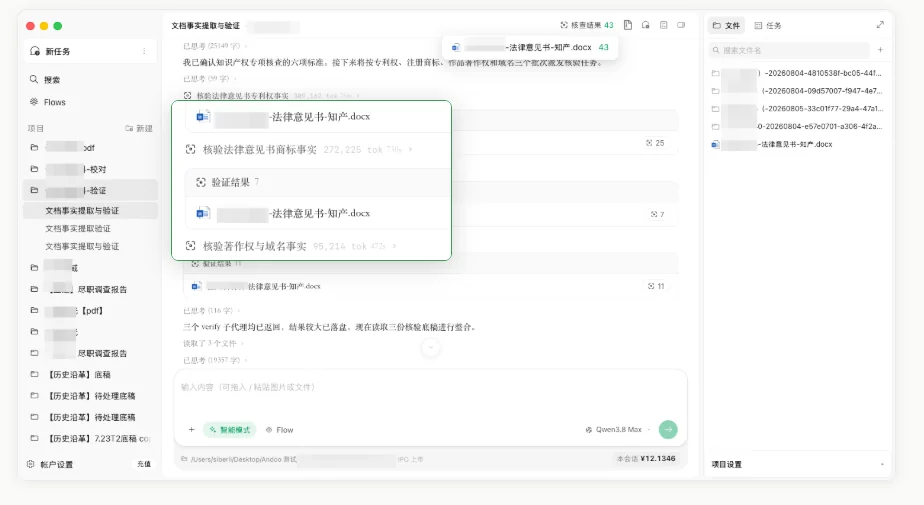
You don't get one overall verdict but a set of facts you can check individually. Open any item to look into it further.
- Each item gets its own result, with the number of records found.
- For example, patents, trademarks, copyrights and domain names are each checked separately.
- Click a result to open the detailed check.
Confirm against the source
Results are for locating and re-checking specific issues. Look at the status first, read the fact and the check notes, then go back to the source to decide whether to amend it or add materials.
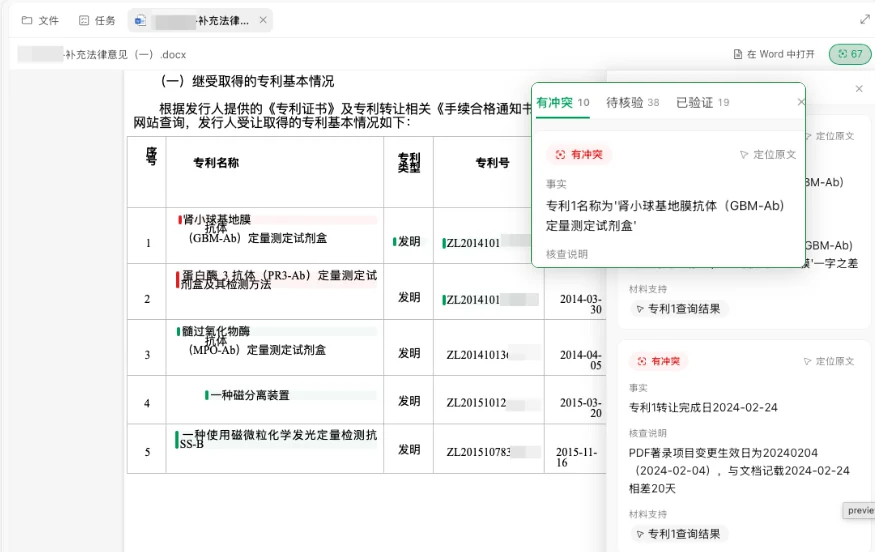
- Filter facts by Conflicting, Pending or Verified.
- Each result shows the extracted fact, any discrepancies found and the supporting materials.
- Click Go to Source to jump to the relevant place in the document and confirm it against the original.